Build 11: a better comic reader
NAS Wildcard
Most of this build went into the comic reader, plus a batch of fixes from the first round of beta testing.
Comics
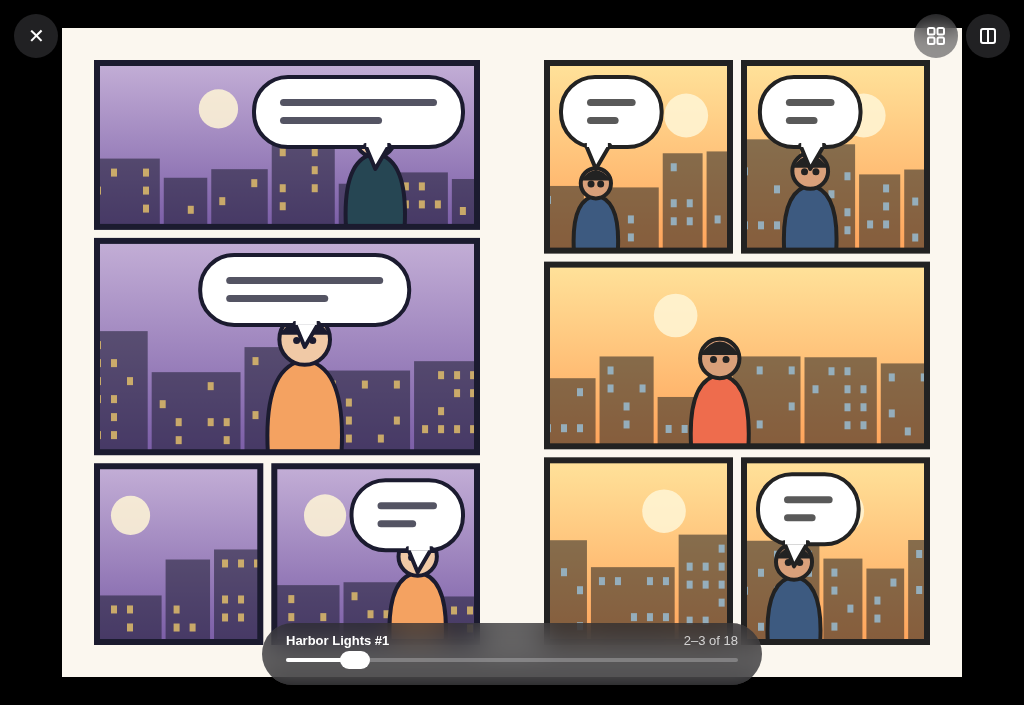
- Two-page spreads. Turn an iPad (or a big iPhone) sideways and pages show in pairs, like a printed book. The cover stays on its own, and a wide page that’s already a spread isn’t split.
- Vertical scrolling for webtoons. Pick Vertical as the reading direction and the whole comic becomes one long strip.
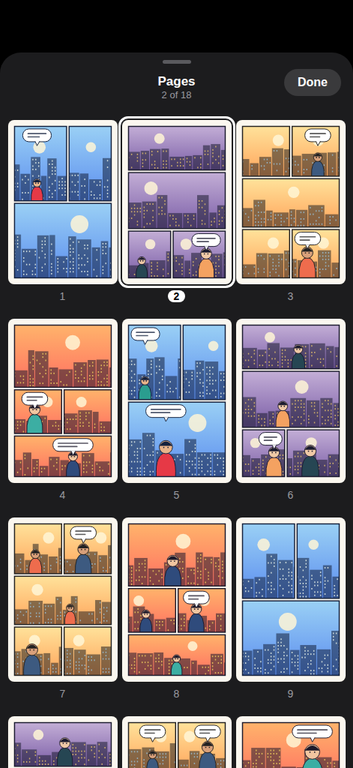
- Page grid. Tap the grid button to see every page at once and jump straight to one.
- The page slider no longer buzzes with haptic ticks while you drag it.
Video and audio
- Picture in Picture starts when you leave the app during a video, and coming back from it keeps playing.
- You can scrub by dragging anywhere on the bar, not just the thumb.
- Next and Previous now move between cue-sheet chapters.
- The subtitle menu’s On option works on the first tap.
Photos
- Slideshows have a duration menu, keep playing when you tap the screen, and have a Play/Pause button.
- The photo info popover fits its rows and no longer has a light rim in dark mode.
Fixes
- Get Info adds up folder sizes on Synology again, instead of failing with error 599.
- A large folder you make available offline keeps going after you leave its screen, and shows that it’s still being listed.
- A long CSV table no longer stalls on the first swipe.
- Unlocking with Face ID fades into a file list that’s already laid out.