Build 12: tabs, and your NAS in the Files app
NAS Wildcard
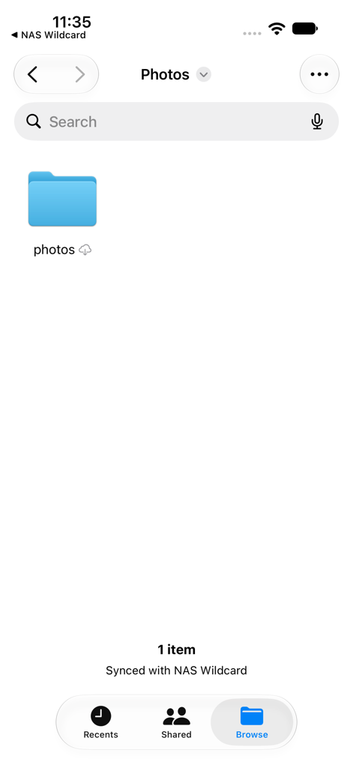
Your NAS in the Files app
Saved servers now show up in Apple’s Files app under Locations. You can open files from your NAS in any app that uses the Files picker, and archives and disk images show up there as folders.
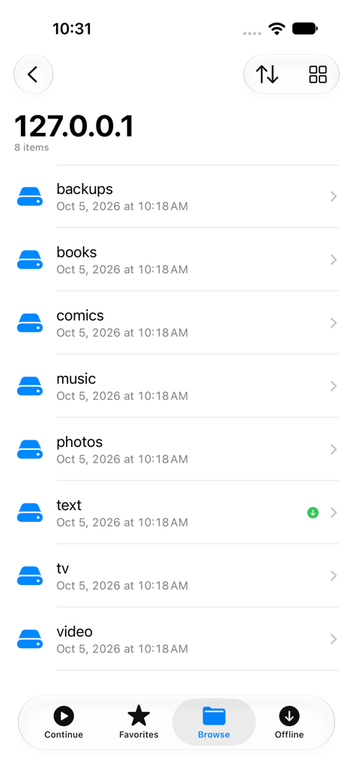
Tabs
Continue, Favorites, Browse and Offline now each have their own tab, so your shares stay at the top of Browse instead of under a pile of recent files.
Smaller changes
- Face ID now locks the whole app instead of each server, so there’s one lock to set up.
- A folder’s download ring shows the progress of the whole folder.
- Next and Previous in a file opened from search results go through the results, not the folder it’s in.
- A playlist that starts with a video plays on through its music and videos.
- Long paths in Get Info wrap after slashes instead of getting cut off.
- The player stays black while Picture in Picture hands the video back, with no white flash.