Build 13: share links, a download queue, and archives from 1994
Share links (Synology)
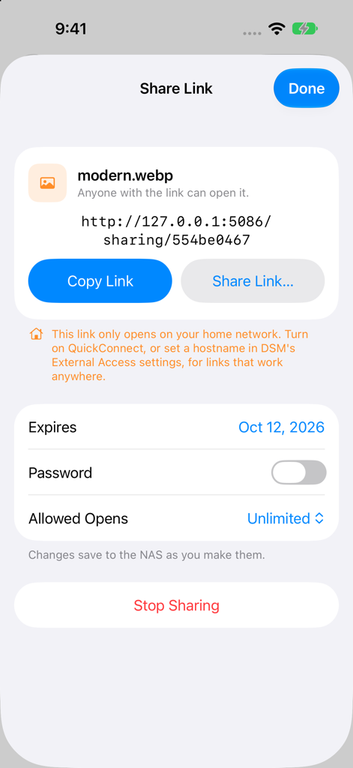
Share Link… makes a DSM share link for a file or folder, right under Share… in the menu. You can set when it expires, add a password and limit how many times it opens, and changes save to the NAS as you make them. Get Info shows whether a file is shared, and a Shared Links list above your shares lets you review links and stop sharing them. If a link would only work on your home network, the app says so.
A real download queue
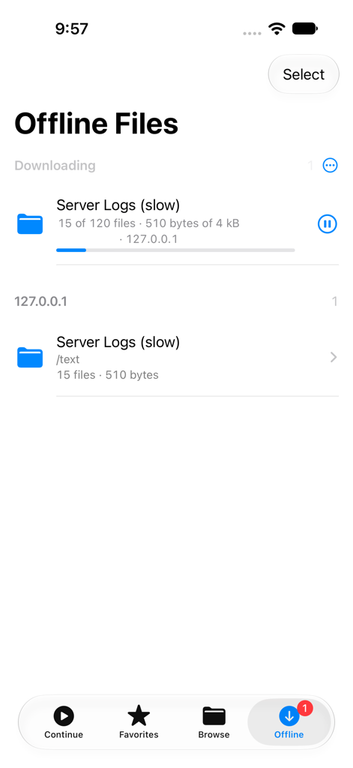
Offline now opens with a Downloading list. A folder is one entry, and you can pause, resume, cancel, retry, reorder, or tap Download Next to move one up. Downloads keep going in the background, and the tab shows a badge while they run. Folders you download stay folders, and Offline and Favorites both have Select for doing several at once.
More archives
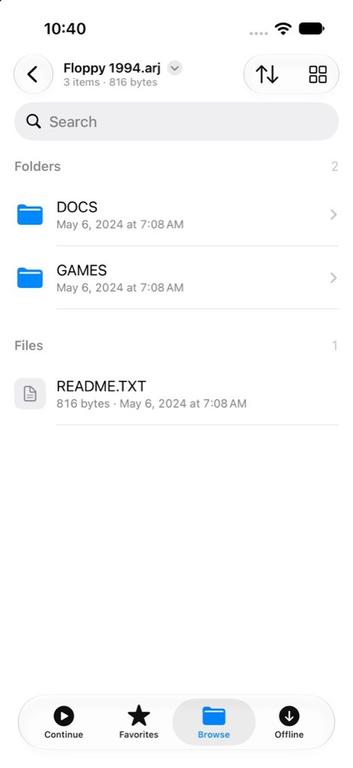
ARJ, ARC and ZOO archives now open as folders, through readers written for this app and tested against 529 real archives from archive.org. So do LHA, Cabinet, XAR and .pkg, cpio, .deb, RPM, and tarballs compressed with zstd, lz4, gzip, bzip2 or xz.
Reading
- A folder or zip of numbered images can be read as a comic. A tip suggests it, and it gets a place in Continue.
- Big text files open through a 32 MB window, with Jump to Start and Jump to End, and log files open at the end.
- Files without a known extension open in the text reader when they turn out to be text.
- A flick of a webtoon strip glides to a stop instead of stopping dead.
Fixes
- The audio player keeps the last track’s title and cover until the next one’s are ready, so the cover no longer jumps between tracks.
- Coming back from Picture in Picture skips Face ID and goes straight to the player.
- The Files app follows the app’s Face ID lock instead of hiding your NAS.